No additional images available
Product Overview
Secure Notes & Password Vault
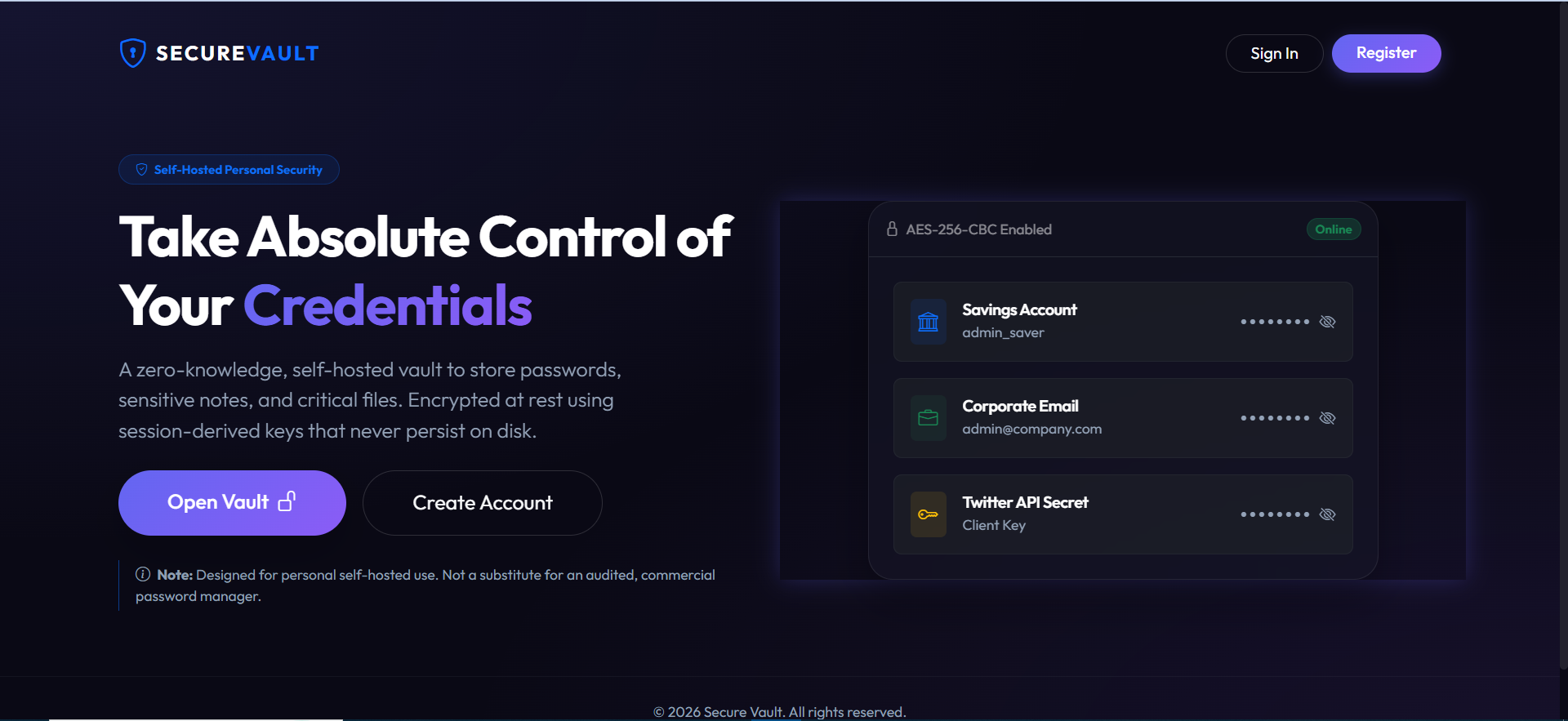
A self-hosted personal credentials manager for organizing passwords, account information, URLs, and private notes in one place. Secure Notes & Password Vault uses master-password-derived encryption keys and a responsive dashboard to help users manage sensitive information on their own PHP and MySQL installation.
Key Features
- Encrypted Vault Entries: Encrypt titles, usernames, passwords, URLs, and notes before storing them in the database.
- Master Password-Based Key Derivation: Derive vault encryption keys using PBKDF2 during login, with keys held in server session memory rather than stored as plaintext files.
- AES-256-CBC Encryption: Use the documented AES-256-CBC encryption routines for vault fields at rest.
- Password Generator: Generate passwords using an interactive slider-based utility.
- Masked Credentials: Use default masking controls to help prevent passwords from being casually exposed on screen.
- Secure Attachment Locker: Store supporting files in a dedicated uploads directory with access restrictions.
- Role-Based Access Control: Separate administrator and standard user roles. Administrators can manage the user directory but cannot read standard users' vault entries, according to the README.
- Responsive Dashboard: A Bootstrap-based dark interface designed to work on desktop and mobile screens.
- Guided Installation Wizard: Check server requirements, configure the database, create tables, and optionally load demonstration accounts.
- Customizable Appearance: Change the site title, accent colors, gradients, themes, and category icons.
Privacy-Oriented Design
The application is designed around master-password-derived encryption keys and restricted access to individual user vaults. The documented design does not store plaintext encryption keys on disk.
Important security notice: The README explicitly states that this application is intended for personal, self-hosted use and is not a substitute for a professionally audited commercial password manager. The described AES-256-CBC encryption alone does not establish the integrity of encrypted data or guarantee that the complete application is secure. Conduct an independent security review before storing important credentials.
Master Password Warning
The application has no password recovery mechanism. According to the README, losing your master password makes your vault data permanently unrecoverable. Keep your master password safe and test your backup and recovery procedures before relying on the application.
Technology Stack
- PHP 8.0 or higher
- MySQL 5.7+ or MariaDB 10.3+
- OpenSSL and PHP Session extensions
- PDO and PDO MySQL
- Apache with .htaccess overrides enabled
- Bootstrap, HTML, CSS, and JavaScript
Installation
Install locally using XAMPP or WAMP, or deploy to compatible Apache hosting. The setup wizard checks directory permissions and required extensions, accepts database credentials, creates the database tables, and can import demonstration data. Manual SQL installation instructions are also included.
Demo Accounts
If realistic demo data is imported, the README lists these accounts:
- Administrator: admin / Admin123!
- Standard User: user / User123!
These are demonstration credentials. Never use the demo passwords for a live vault. Remove demo accounts and verify the installation's security settings before use.
Requirements
- PHP 8.0+
- MySQL 5.7+ or MariaDB 10.3+
- OpenSSL and Session extensions
- PDO and PDO MySQL
- Apache with .htaccess overrides enabled
- Appropriate permissions for configuration and attachment directories
Ideal For
- Developers exploring self-hosted credential management
- Personal projects and local testing environments
- PHP developers learning database-backed encryption workflows
- Users evaluating a customizable private notes and credentials application
Important Limitations
- This is not a professionally audited commercial password manager.
- The README specifies no master-password recovery mechanism.
- Do not claim independent security certification or guaranteed zero-knowledge security without verification of the implementation.
- Review encryption integrity, session handling, backups, attachment access, and deployment security before storing real credentials.
Version Information
Version: 1.0.0 — First Stable Release, as stated in the project README.
Featured Product
Hand-picked by our team
Trending
Popular this week
Key Features
No feature information available.
System Requirements
| Category | PHP CMS |
| Technology | PHP CMS, Bootstrap, Html |
| Product Type | CMS |
| License | Regular |
| Current Version | 1.0.0 |
| Last Update | Oct 17, 2026 |
| Published Date | N/A |
Installation Guide
No installation information available.
Version History
Support Information
No support information available.
Customer Reviews
0.0
0 Reviews
License Information
Regular License
Use in one end product, free or paid. Total price includes the item price and a buyer fee.
Related Products
You might also like